Meet Numphy.
Your name, your company, what you do. Numphy starts out knowing what your kind of business asks, then remembers what matters to you.
The problem.
Leads go cold. Stock runs out. Comments go unanswered. The answer is always in some other tab.
Jola connects the systems you already use and builds what's missing, all behind one Home. An assistant knows all of it. Automations keep it moving. You don't need to know how any of it works.
Three minutes, one bakery. Everything it runs on, in one place.
Copper Kettle is a made-up bakery running on sample data, here and in the screens below. Your OS runs on your real systems, people and numbers.
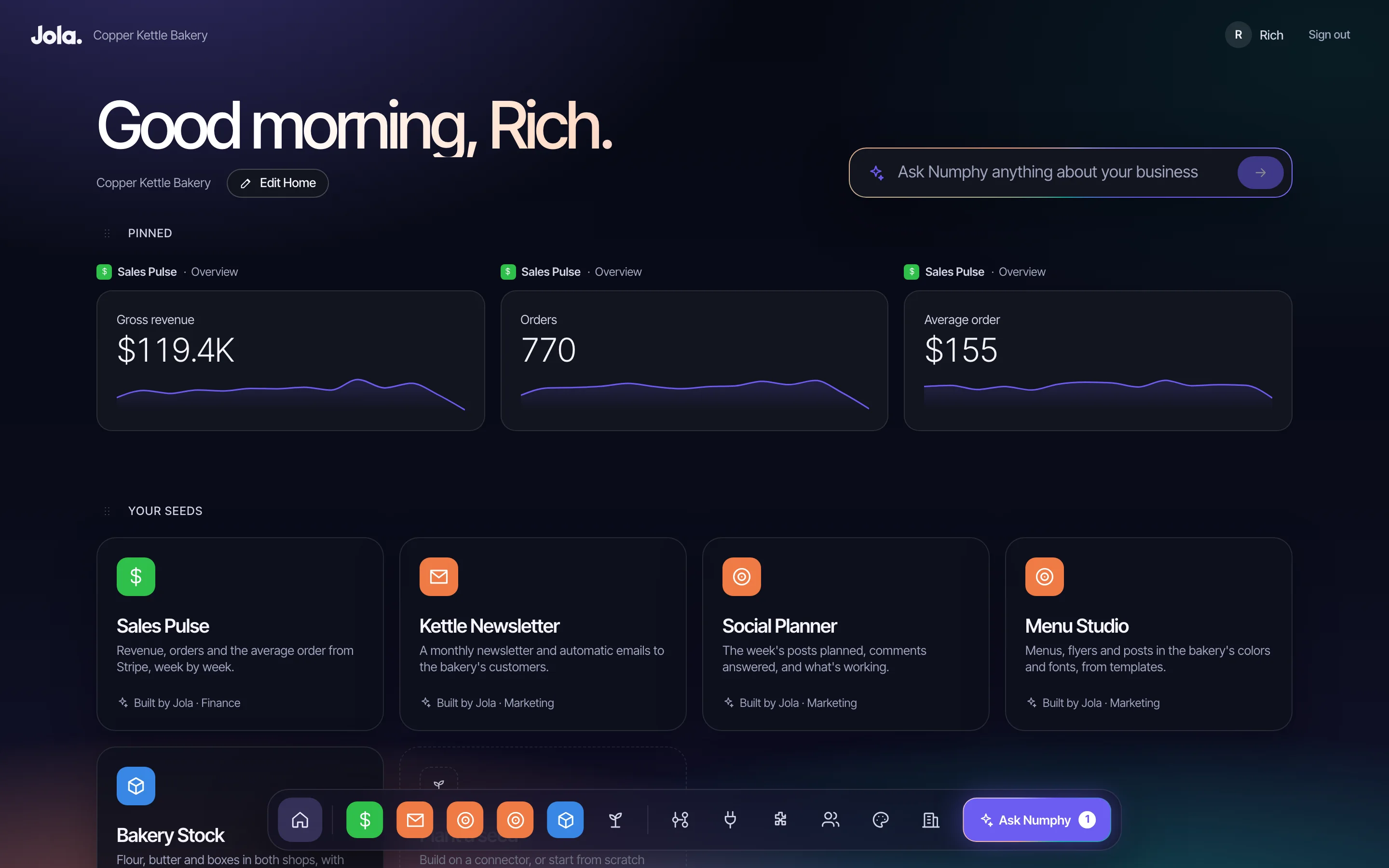
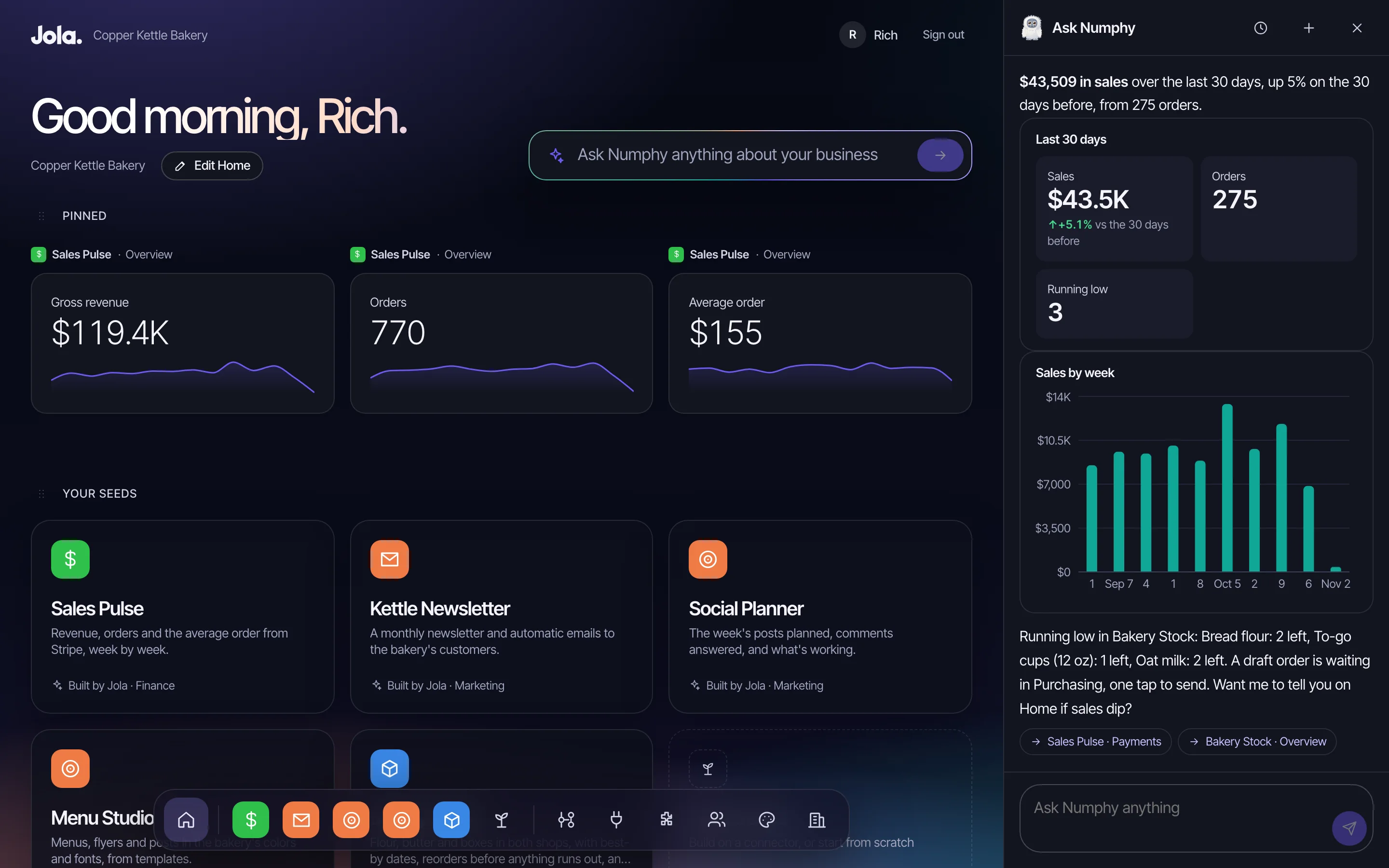
Your numbers, your seeds and your assistant on one screen, with a dock that reaches everything from anywhere. Each person arranges their own, and pins the numbers and charts they check every morning.
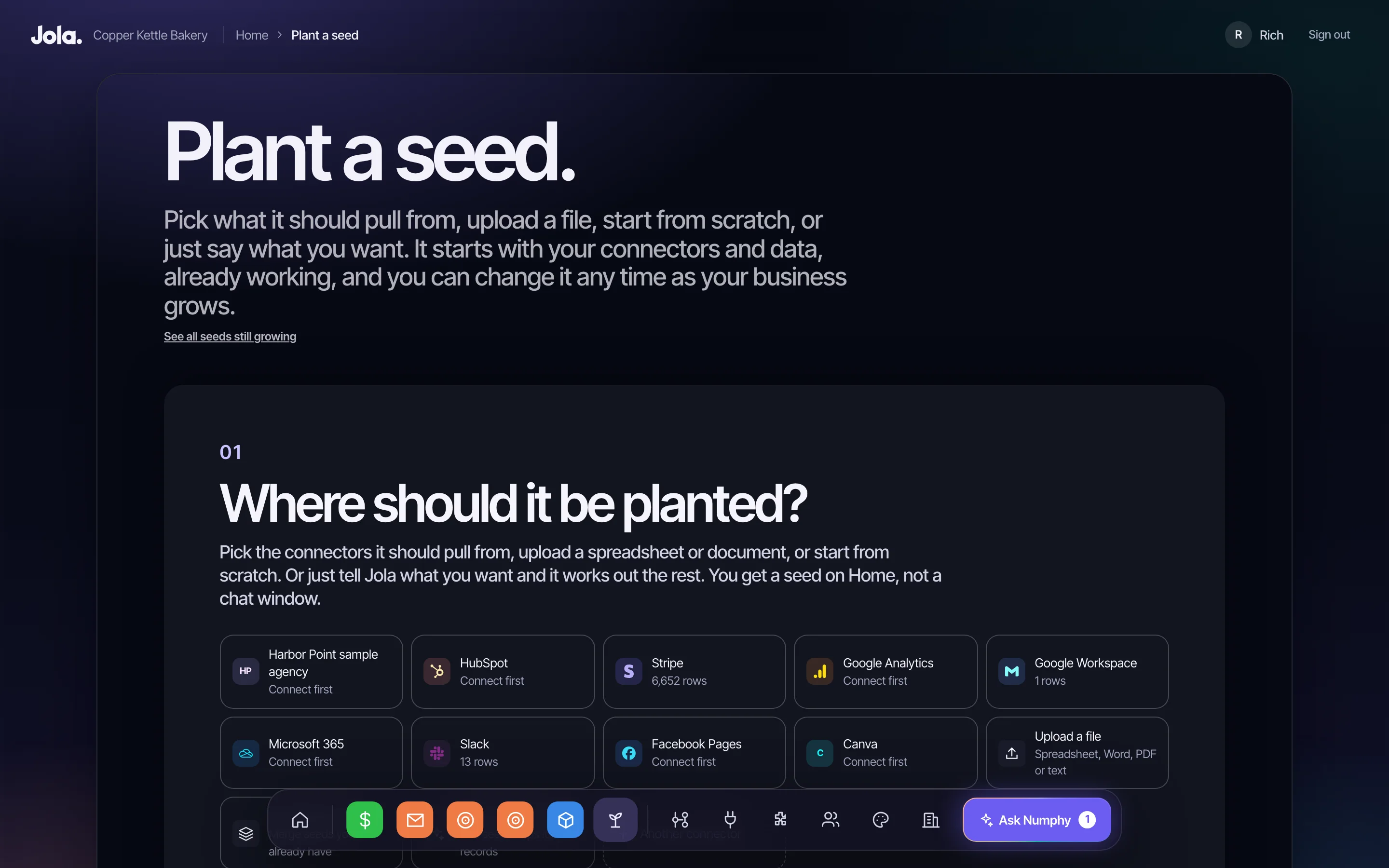
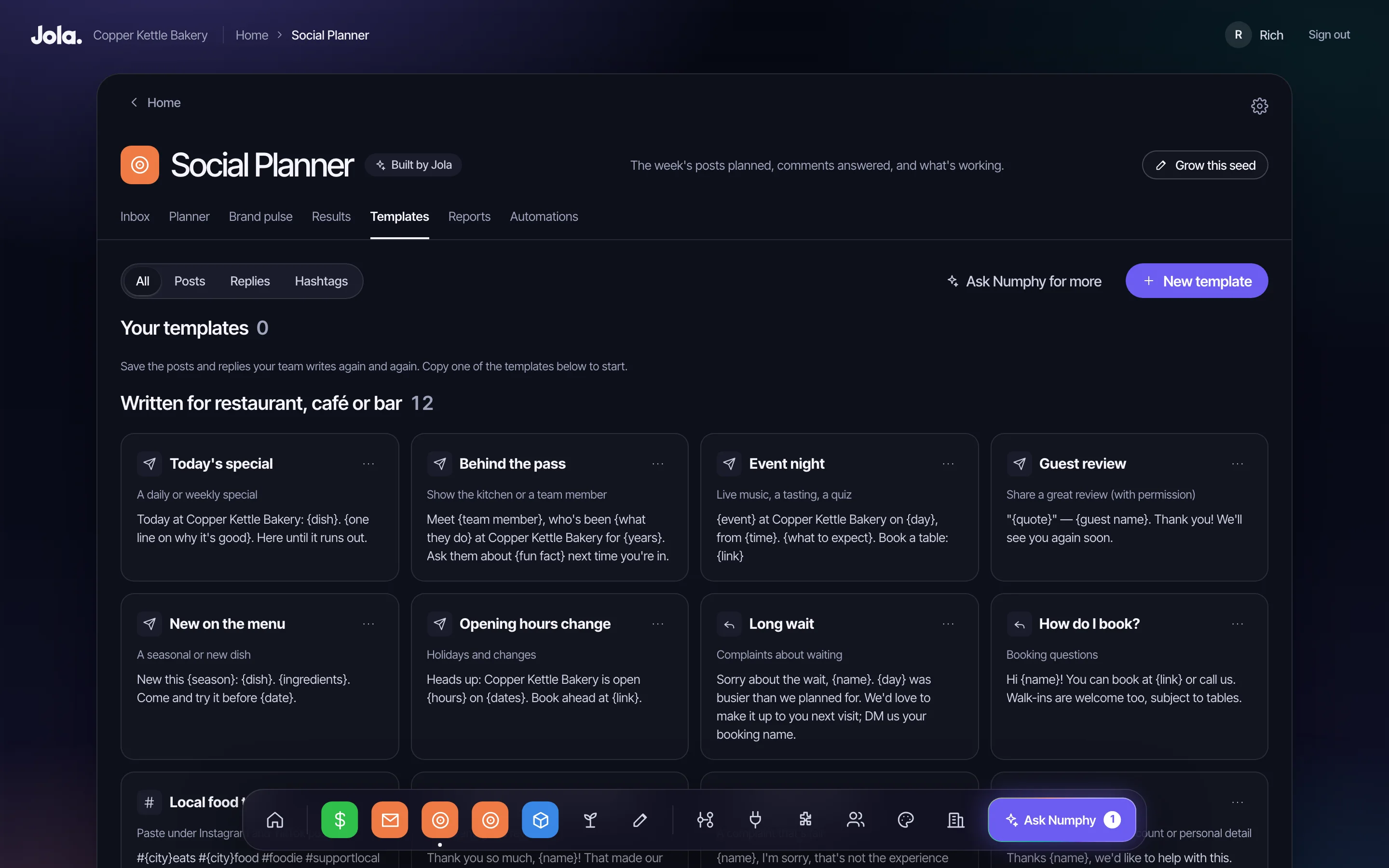
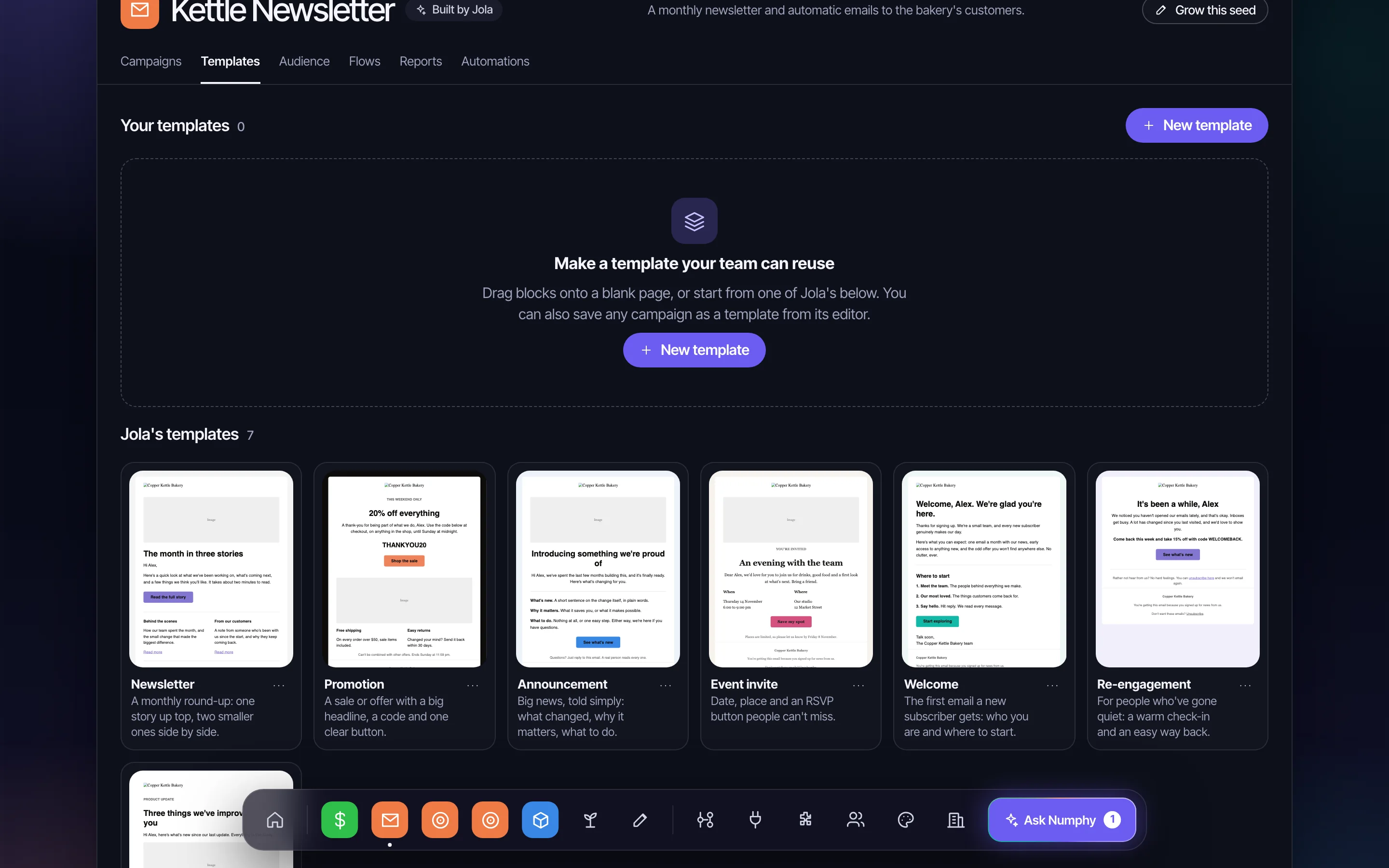
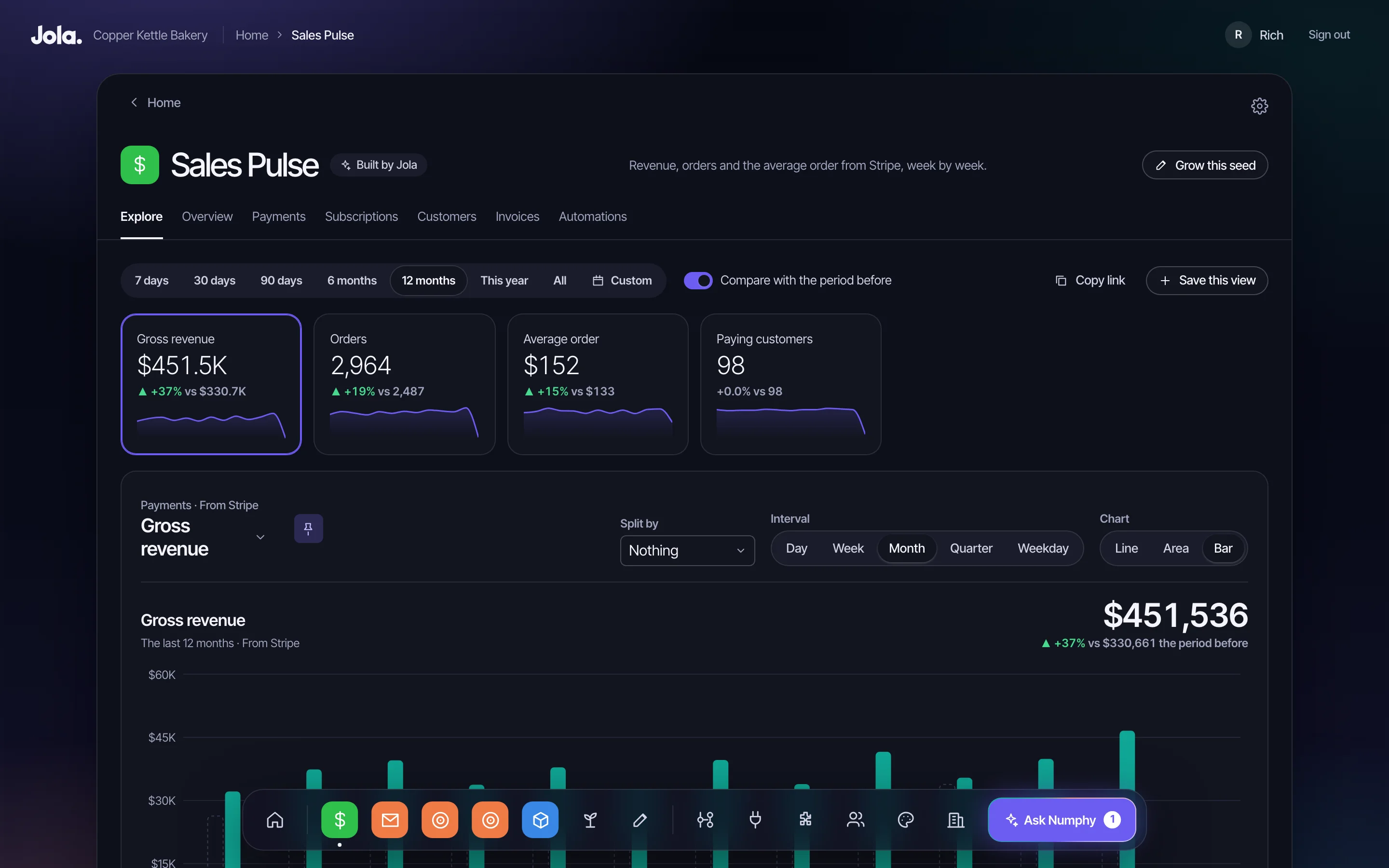
A seed is an app Jola builds for you. Say what you need in plain words, or start from a spreadsheet. Jola asks a few questions, builds it on your data and tests it before it reaches Home. Later, ask for a change and it grows. If you don't like a change, put it back.
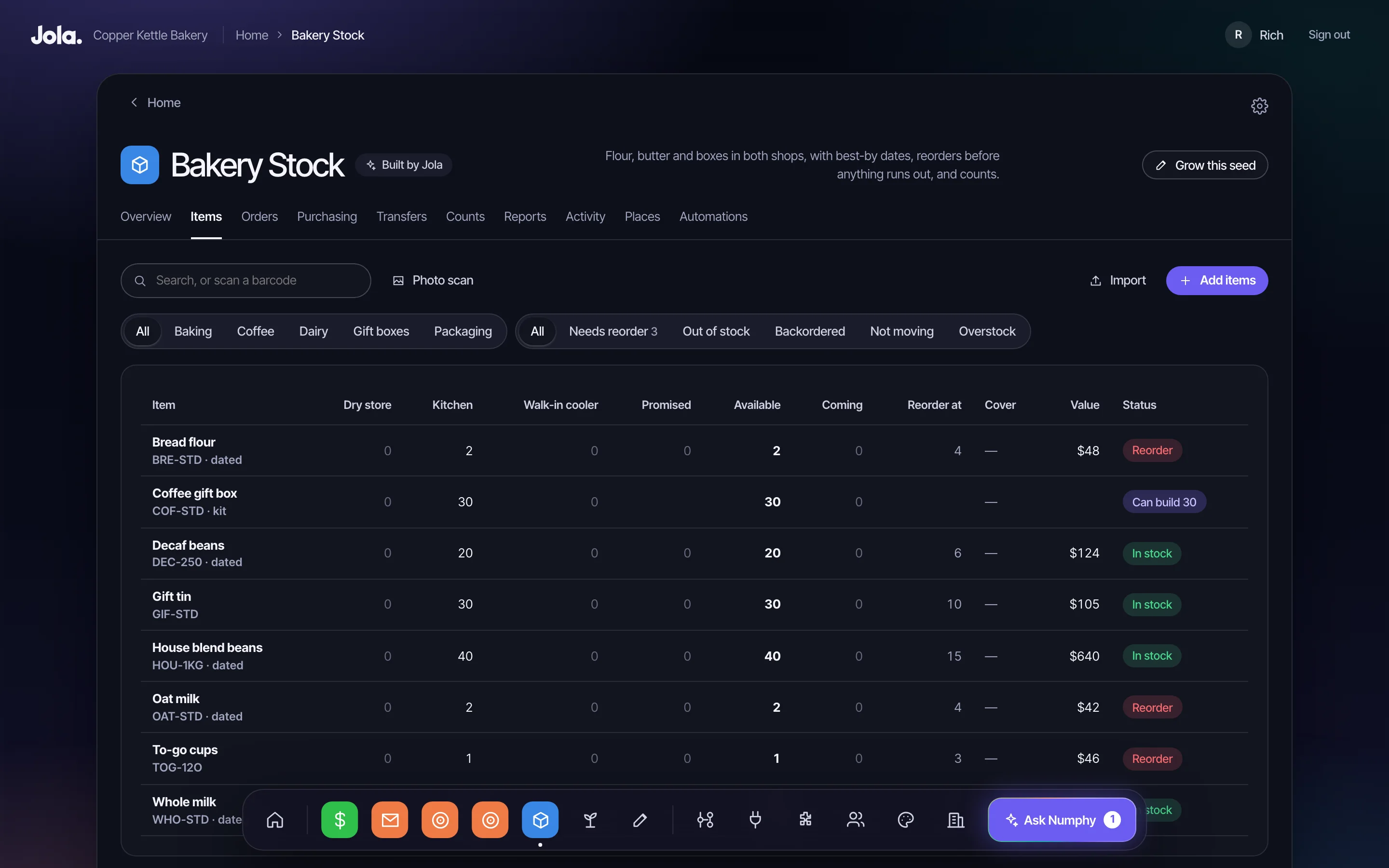
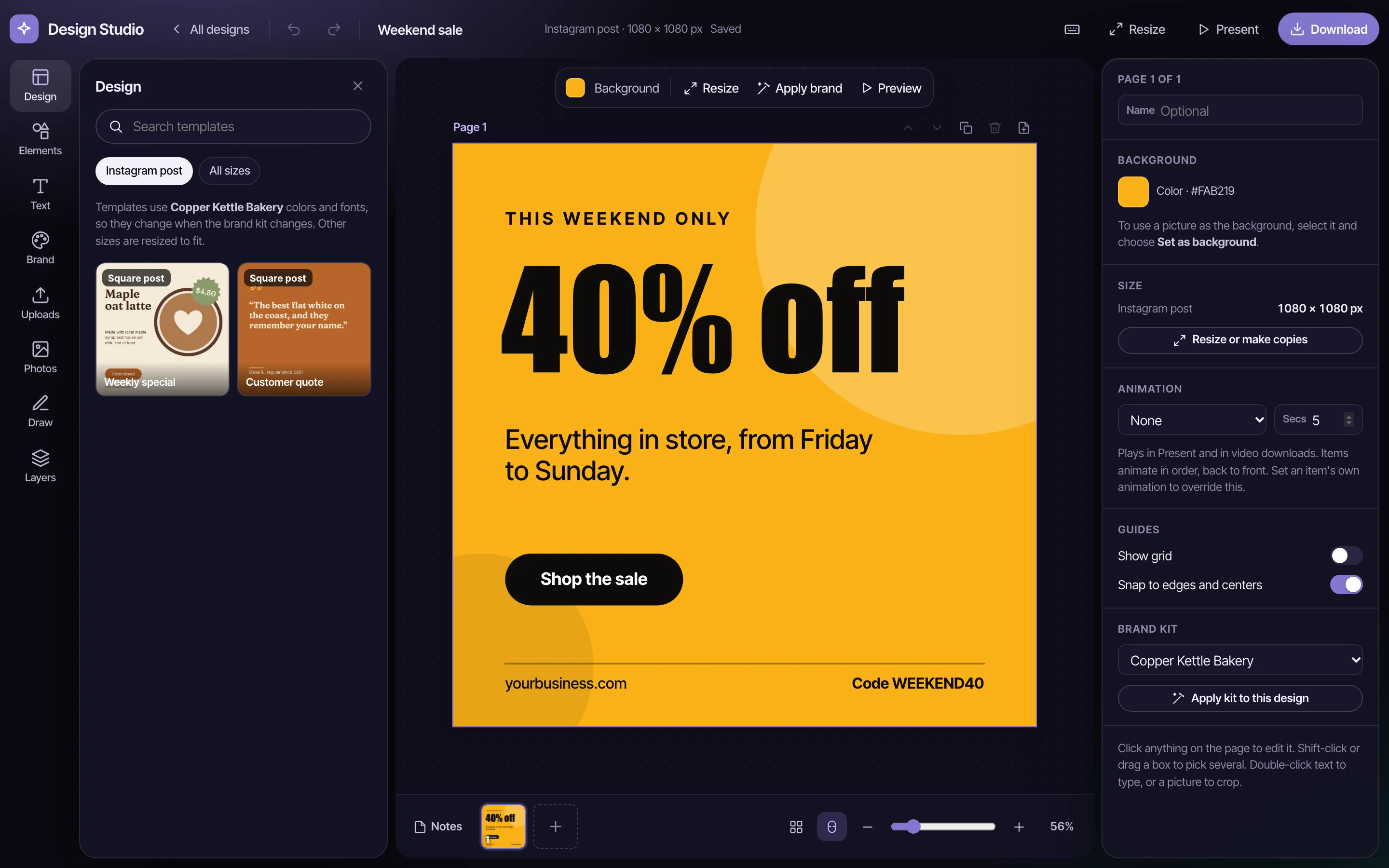
Some jobs already have an app everyone knows. These seeds work the same way, in your brand, on your data. There are also seeds for books, projects, team chat and AI assistants, and you can describe anything else. Two seeds that should be one? Combine them and the data comes along.
Your assistant, one tap away on every screen. Ask in plain English and Numphy answers from your seeds and connectors, with the real numbers, charts and a link to the exact screen. It offers a daily brief, flags what's slipping and remembers what you tell it. Ask for a change and it shows you what will happen, then does it when you say yes.
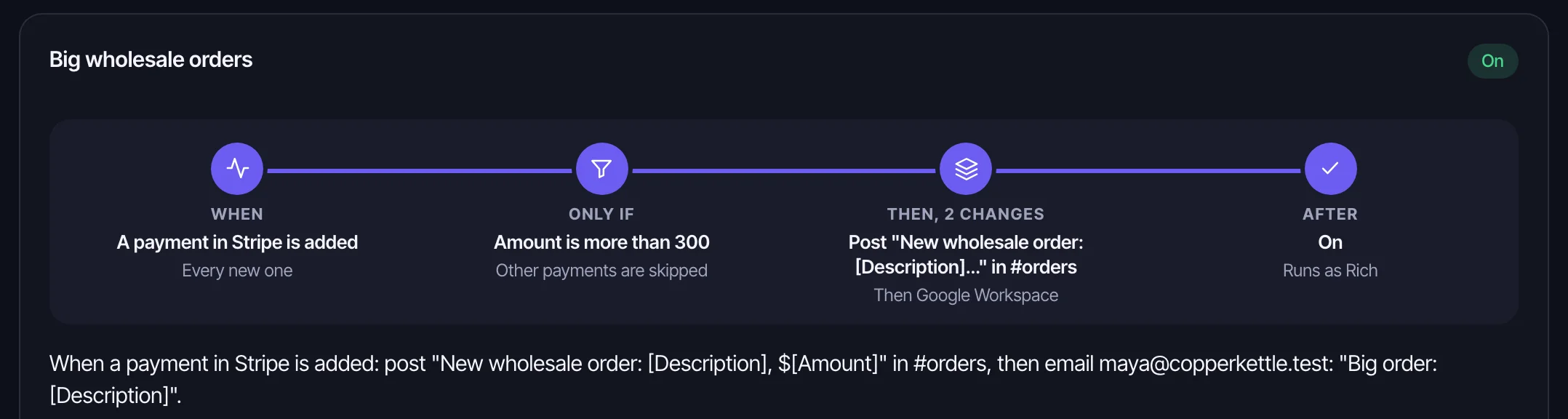
When something happens, Jola does the next thing. A big Stripe payment posts in Slack and emails the baker. Draw the rule as a flow chart or ask Numphy for it, try it on real records, then turn it on. If it keeps failing, it pauses and tells you why.
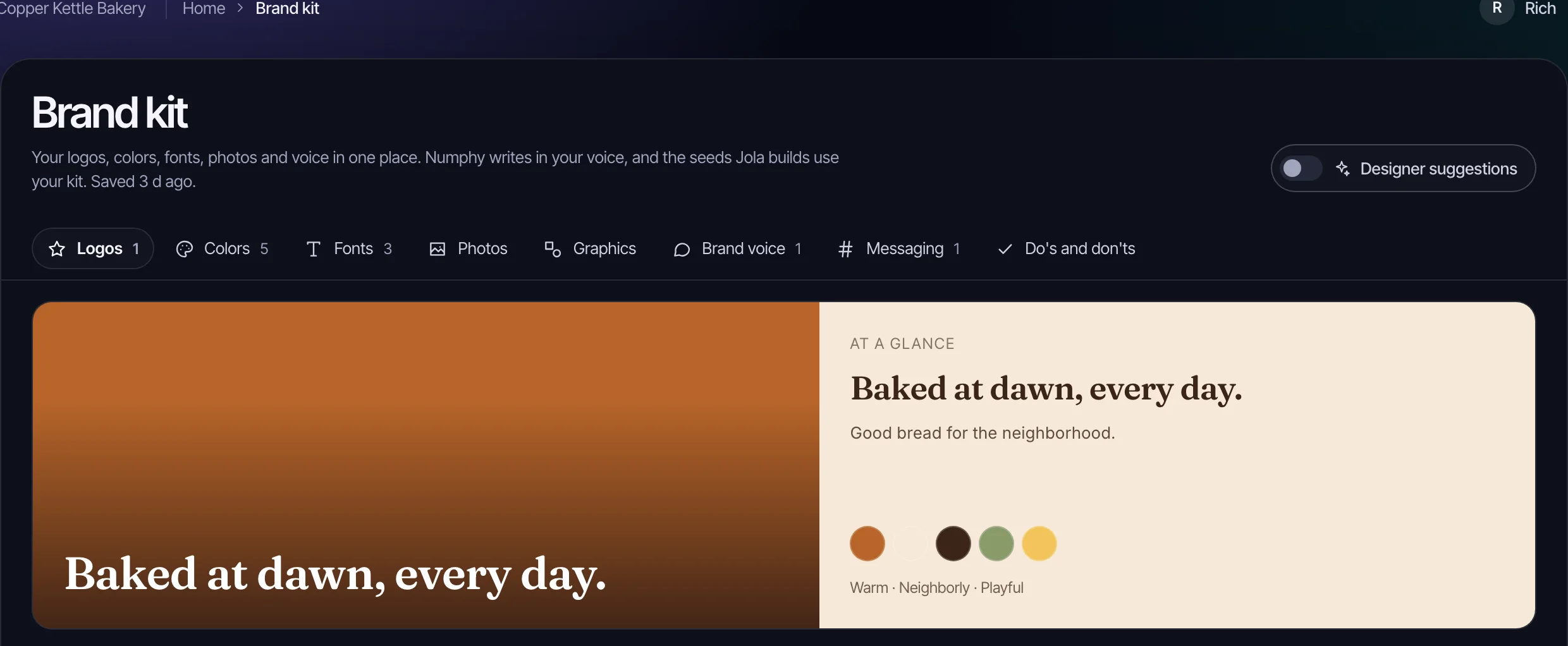
Logos, colors, fonts, photos, voice and messaging in one kit. Designs and emails come out on brand, and Numphy writes the way you talk.
AI use is counted in monthly credits. You see an estimate before a build runs, a notice as you use them up, and nothing runs past your limit.
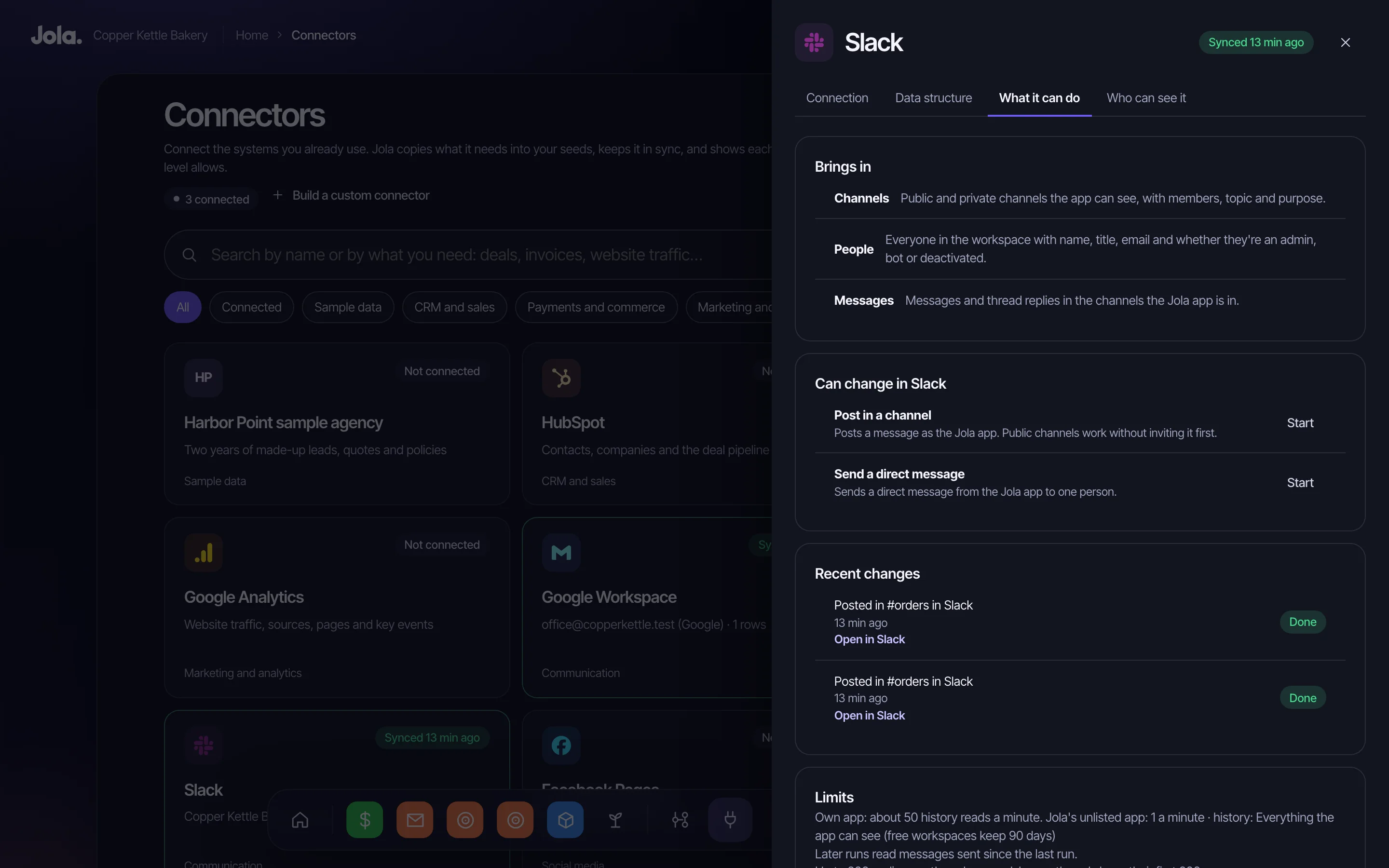
Slack, Drive, QuickBooks, Excel, Facebook. The tools your business runs on today are the tools Jola builds on. What works stays. What's held together by a spreadsheet becomes a seed.
You don't need to know how to do this. That's the point.
Your name, your company, what you do. Numphy starts out knowing what your kind of business asks, then remembers what matters to you.
Sign in to the systems you run on. Jola brings in what it needs and keeps it in sync, and each person only sees what their access allows.
Say what you need and answer a few questions. Jola builds it on your data and tests it. You look it over and put it on Home.
Ask Numphy anything. Turn on automations. Grow your seeds in plain words as the business changes.
Big companies have teams for this. You have Jola. Here is the kind of question Numphy answers once your systems are connected.
“Which renewals are most at risk this month?”
“Which estimates are going cold?”
“Who is overdue for a visit?”
“Which listings haven't had a showing in two weeks?”
“What's about to sell out?”
“Which invoices are past 30 days?”
Four things we hear from owners, and the honest answers.
“I can do this myself.”
Connecting a dozen tools, deciding who sees what, and keeping it all running when a password changes or a sync stops. That's a job. Jola builds and tests the seeds. When something breaks, Numphy reads the logs and tries the fix, and support is there when it can't. Your evenings go back to the business.
“I've tried the AI tools. They don't do what I need.”
They don't know your numbers, can't open your tools, and guess when they don't know. Numphy is wired into your actual systems. It looks up the real figures, links every answer to the screen, asks before it changes anything, and says so plainly when it got something wrong.
“I don't have time for another system.”
Your team keeps the tools they know. They just stop hunting across tabs for an answer, and stop copying numbers into a spreadsheet to get one.
“We're too small for this.”
Big companies have whole teams keeping their systems talking. Main Street gets a spreadsheet and a Sunday night. Jola gives a five-person shop the same setup, and a seed grows as the business does.
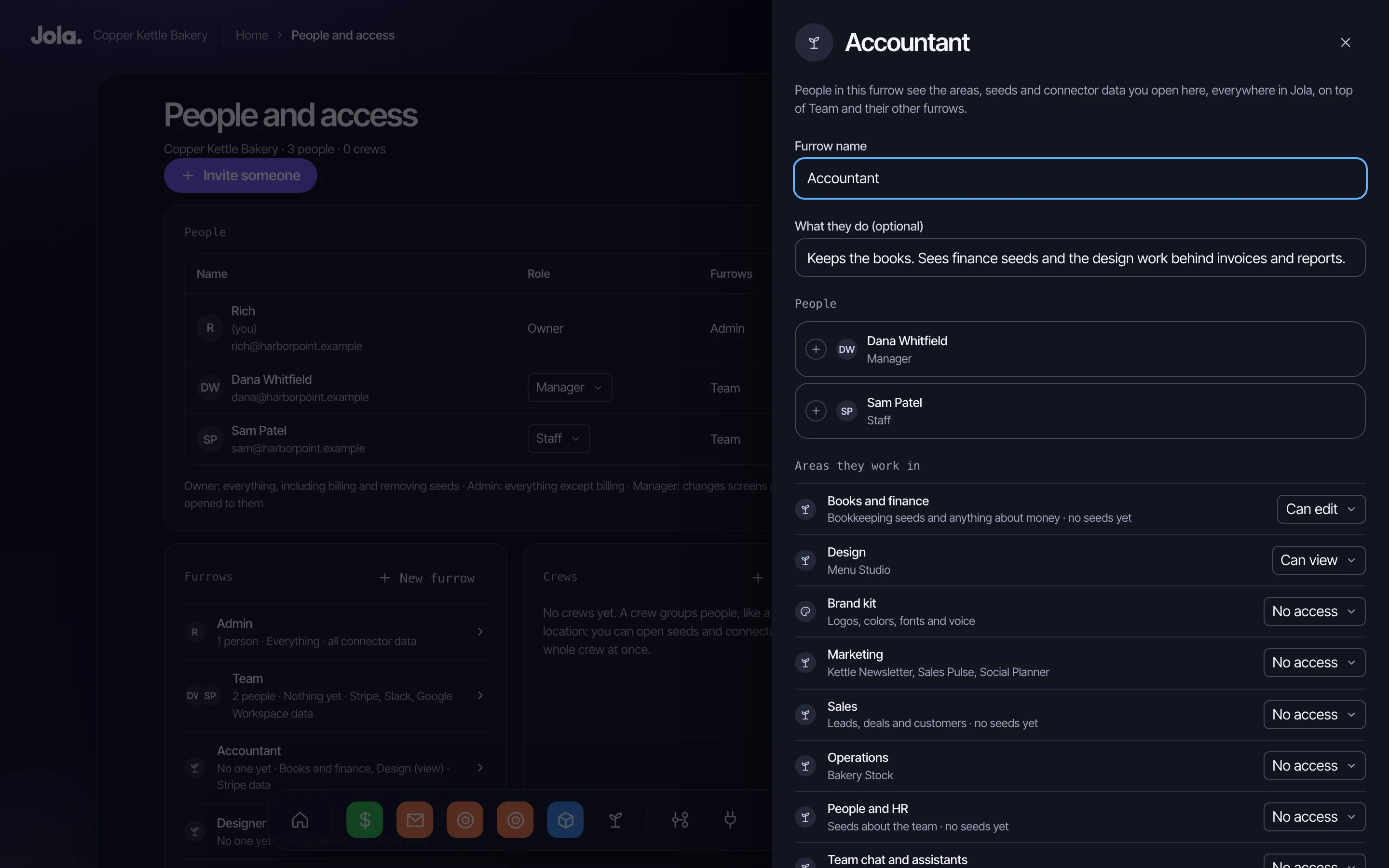
Roles say what someone can do. Furrows say where: your accountant gets the books, your designer gets the studio. Enforced in the database itself, in every seed and every answer. Anything marked just me stays private, even from owners.
Tell Numphy to make a change. It shows you what will change and where, waits for your yes, then makes it in the right system. Every change goes in the activity log, with who and when.
AI can make mistakes. Seeds are tested on your data before they reach Home. Numphy corrects itself out loud. A failing automation pauses and explains why, and who can fix it.
Each business has its own walled-off space in the database, with logins and keys sealed under its own encryption key, on Google Cloud. Nothing is shared between customers.
No. If you can describe how your business runs, you can plant a seed. Jola asks the questions. If you'd like a hand, we'll set it up with you.
An app Jola builds for your business. It's smart and connected from the start, and it grows when you ask for changes in plain words.
Jola's AI builder. It plans the seed from your answers, builds it and tests it on your real data against what you asked for. Nothing reaches Home until it passes, and you decide when it goes there.
No. When you ask Numphy for a change, it shows you what will change and where, and waits for your yes. Automations run on their own only after an owner or admin turns them on. Everything is recorded with who did it and when.
Only where it helps. Jola builds on top of the tools that work for you, and your team keeps the software it knows. Where something is held together by a spreadsheet, like time tracking, Jola turns it into a seed. If a job isn't covered at all, it builds one from scratch.
Tell us what you use. If it holds your data, there is usually a way in, and you can always start a seed from an uploaded spreadsheet. If there's no way in, we will say so before you spend anything.
Yes, through your connected accounts. Numphy and automations can post in Slack, send through Gmail or Outlook, add calendar events and publish to a Facebook Page. Email campaigns are designed in Jola and sent from your email platform for now.
You decide. Roles say what someone can do and furrows say where, so staff see their own information and an accountant sees the books. That applies in every seed and in every answer Numphy gives. Numphy conversations are private to each person.
Yes, connector by connector. When you connect a tool, you choose what it brings in and how far back. Its AI use tab then lets owners and admins turn each type of data on or off for Numphy and Jola's other AI. Everything starts on. Turn something off and Jola stops sending it to AI from then on, while people who can see it keep using it in their seeds and automations keep running. A seed holding that data can't be grown by AI until it's back on. Numphy also answers as the person asking, so it can't use data they can't see. Off can't recall what AI has already read, facts Numphy has already saved, what someone types or pastes in, what's on screen in a seed's chat, or data an automation has copied into a seed's own records.
In its own walled-off space for your business, encrypted, on Google Cloud. AI reads it only to do what your team asks, and nothing is shared between customers.
Partly, today. Connect Google Workspace or Microsoft 365 and Numphy can see your emails and files: who sent what, file names and dates. A reader that goes inside every document is coming.
Plans run from $99 to $399 a month, billed monthly, and above 30 people we work out the price with you. AI use is counted in monthly credits, with an estimate before anything big runs. See the plans.
Start with one thing your business needs. It grows from there, connected to what you already use.